Major Upgrade - Professional Tab Management
Version 2.0 is here with emergency hotkeys, improved auto-start, redesigned icons, and a polished new interface.
Automate Your Tab Browsing Experience
Effortlessly cycle through your open tabs with Free Tab Switcher, the perfect browser extension for multitaskers, researchers, and professionals.
Download Free Learn More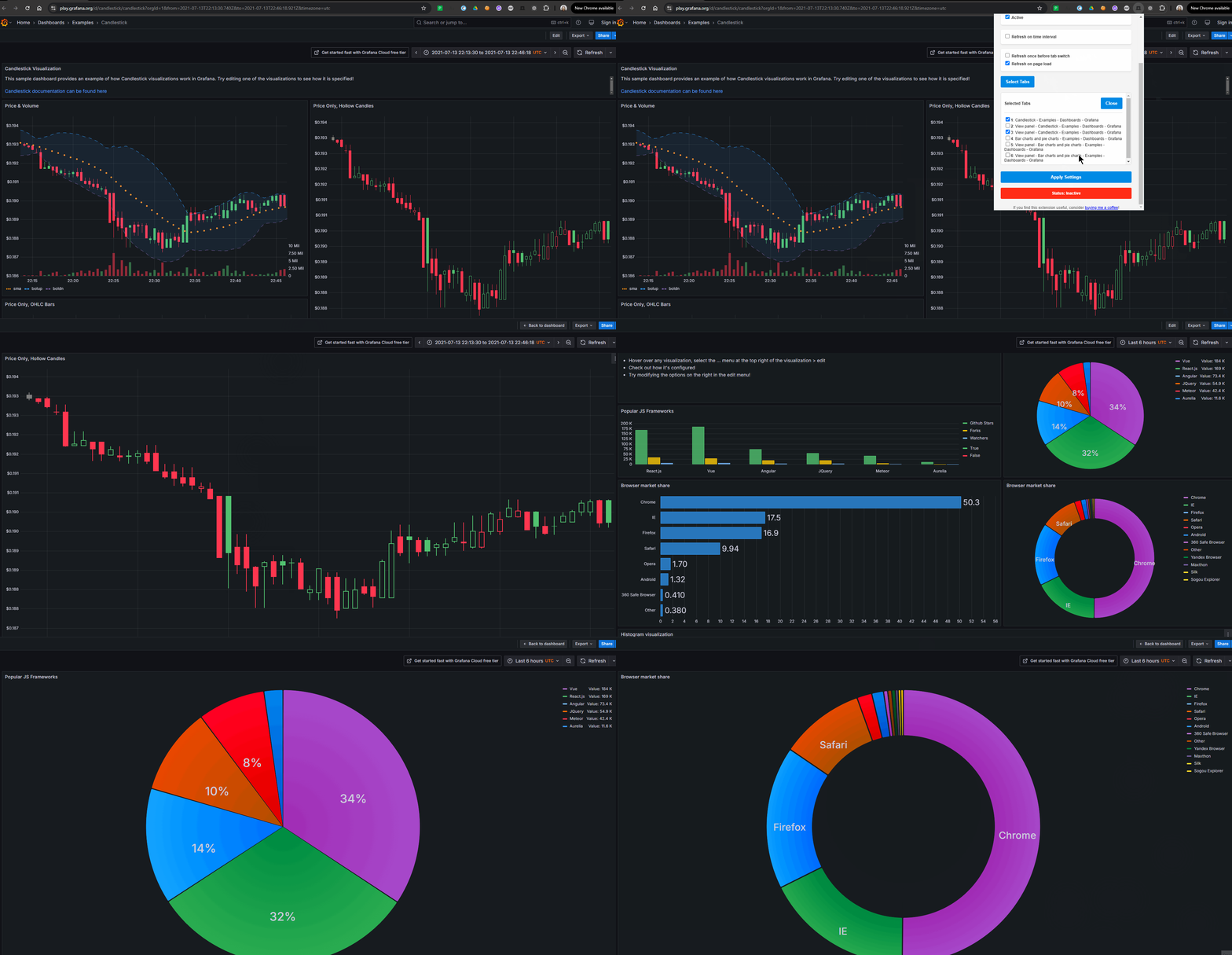
Key Features
Simple yet powerful tab management for productivity
Profile Management
Save your settings as profiles and quickly switch between different configurations for various workflows.
Tab Filtering
Choose which tabs to include in your rotation, perfect for focusing on specific content.
Automatic Tab Cycling
Set custom intervals to switch between open tabs without manual intervention.
Flexible Refresh Options
Choose to refresh pages on a time interval or before/after tab switches to keep content up-to-date.
User-Friendly Interface
Easily adjust settings with a clean, intuitive popup menu that's simple to understand.
Emergency Hotkeys
Ctrl+Shift+X to toggle all windows, Ctrl+Shift+S for emergency stop across everything.
Window-Specific Settings
Customize cycling behavior for each browser window independently for maximum flexibility.
Visual Status Indicator
Clearly see when the extension is active or inactive with color-coded status updates.
New Tab Detection
Automatically detect new tabs that might match your profile settings and easily add them to your rotation.
Ideal Use Cases
Perfect for multiple scenarios where monitoring multiple tabs is essential
Dashboard Monitoring
Automatically cycle through multiple analytics dashboards to keep track of real-time metrics and KPIs.
Social Media Feeds
Rotate between different social media platforms to stay updated without manual switching.
Digital Signage
Create informational displays for lobbies, waiting rooms, or retail spaces by cycling through web content.
Research Comparison
Efficiently compare information across multiple research sources or academic papers.
Task Rotation
Switch between different work tasks at regular intervals to maintain focus and productivity.
Customer Support
Monitor multiple support channels and ticket systems simultaneously to improve response times.
Market Monitoring
Rotate between different financial charts, stock tickers, and market news for comprehensive market awareness.
Presentation Displays
Create dynamic presentations by automatically cycling through web-based slides or content.
What's New in Version 2.0
A major upgrade with professional-grade features and a polished new look
Emergency Hotkeys
Ctrl+Shift+X toggles all windows. Ctrl+Shift+S emergency stops everything. Instant control when you need it.
Flexible Refresh Options
Choose to refresh pages on a time interval or before/after tab switches. Keep dashboards and live data always up-to-date.
Reliable Auto-Start
Completely reworked. The icon now correctly shows active status as soon as Chrome launches. Service worker keepalive ensures cycling never silently stops.
Redesigned Icons & Interface
Brand new high-quality bird icons with color-coded status — gray when inactive, vibrant purple-blue when cycling. Polished popup interface.
Profile Management
Save your tab switching configurations as named profiles. Create profiles for dashboards, monitoring, presentations — apply with a single click.
Multi-Window Independence
Each browser window operates independently with its own settings, interval, and cycling state. Deactivate one while others keep rotating.
Ready to Streamline Your Tab Browsing?
Download Free Tab Switcher today and experience a more efficient way to manage multiple tabs. Version 2.0 brings emergency hotkeys, reliable auto-start, and a professional new interface.
Get It Free Support the Project