Activate in three steps
1. Open the key screen
Click the FreeTabSwitcher icon in Chrome's toolbar. If you can't see it, click the puzzle-piece icon and pin FreeTabSwitcher. In the Pro card, click Already bought? Enter your license key.
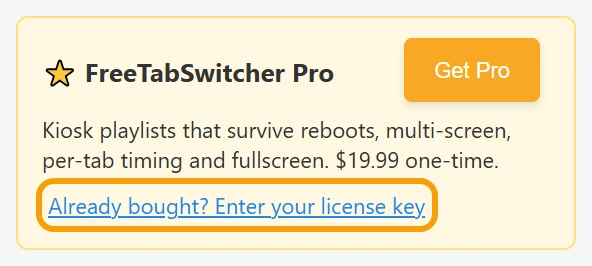
You can also right-click the icon and choose Options.
2. Paste your key and click Activate
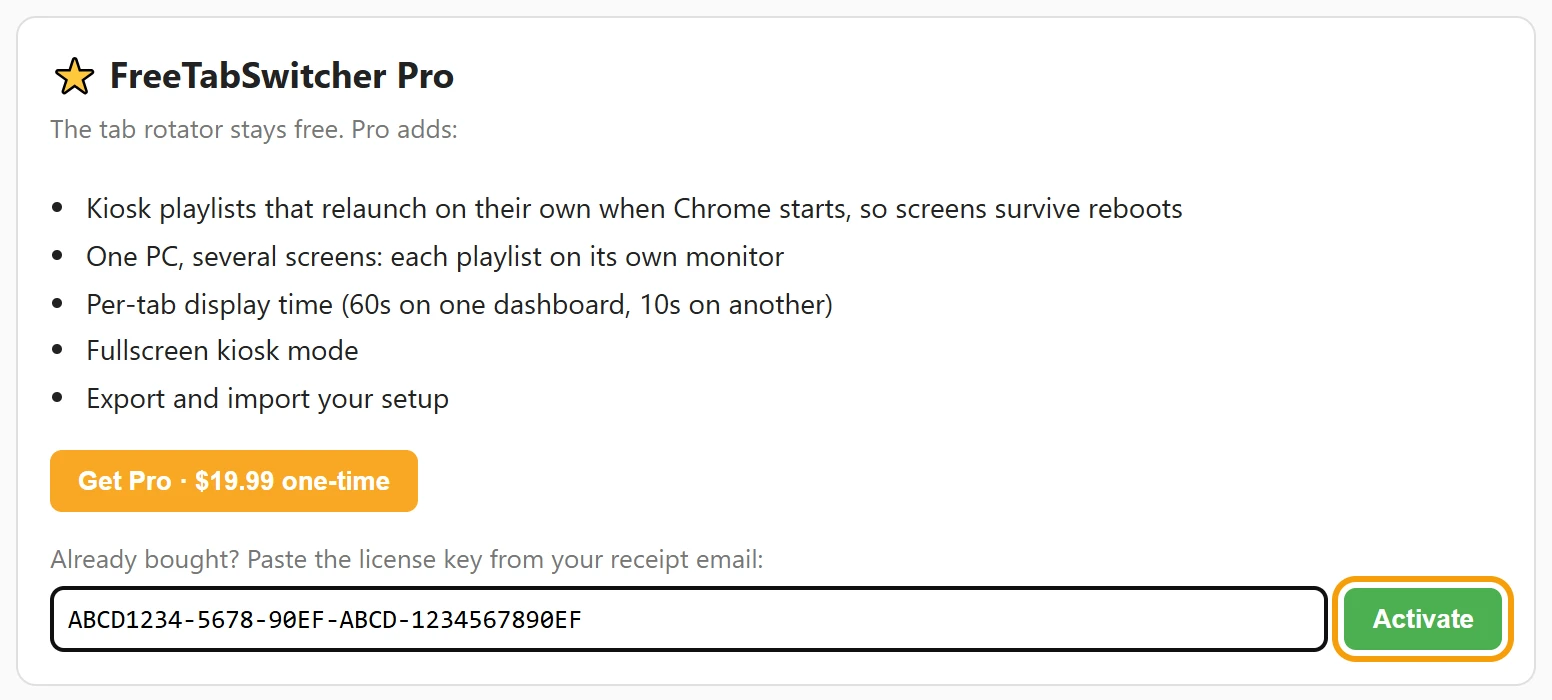
Copy the key from your Lemon Squeezy receipt email, paste it into the box under Already bought? Paste the license key from your receipt email, and click Activate.
3. You're done
The card changes to FreeTabSwitcher Pro is active, and the playlist editor appears underneath.

Next: set up a kiosk playlist that survives restarts.
Use Pro on another computer
One key works on up to 3 computers at a time. To move it, open the key screen on the old computer and click Deactivate on this browser, then activate on the new one. If the old computer is gone, email us your order number and we'll free up its activation.
If activation doesn't work
| You see | What to do |
|---|---|
| This license key has reached the activation limit. | Deactivate Pro on a computer you no longer use, or email us and we'll free one up. |
| license_key not found. | The key wasn't recognised. Copy it again, straight from the receipt email. |
| That key is not for FreeTabSwitcher Pro. | It's a key for a different product. Use the key from your FreeTabSwitcher receipt. |
| Could not reach the license server. | Activation needs an internet connection once. Check the connection and try again. |
| No Pro card, or no key box | Your extension is older than version 2.1. Chrome updates extensions on its own; to update now, open chrome://extensions, turn on Developer mode and click Update. |
Lost your key?
Search your email for the receipt from Lemon Squeezy; the key is in it. If you can't find it, email [email protected] from the address you used to buy, and we'll send it again.
Questions
Does Pro need the internet?
Only to activate. After that the extension re-checks your key about once a week, and Pro keeps working if it can't connect.
Will I lose Pro if I reinstall Chrome or the extension?
Uninstalling removes the key from that computer. Activate again with the same key. If all three activations are in use, deactivate one you no longer use, or email us and we'll free one up.
Can I get a refund?
Yes, a full refund within 14 days, no questions asked. See the refund policy.