Chrome's --kiosk flag
Starting Chrome with chrome.exe --kiosk https://example.com opens one page fullscreen with no browser controls. It's simple and hard for passers-by to exit. It also stops there: one page per window, no rotation and no refresh. Putting different pages on different monitors usually means a separate Chrome profile per screen and hand-tuned window positions.
How the options compare
| Chrome --kiosk | FreeTabSwitcher Free | FreeTabSwitcher Pro | |
|---|---|---|---|
| Rotate several pages | No | Yes | Yes |
| Display time per page | No | No | Yes |
| Auto-refresh | No | Yes | Yes |
| Fullscreen | Yes | Press F11 | Yes, automatic |
| Choose the monitor | Command-line flags | Drag the window | Pick from a list |
| Back after a restart | With a startup shortcut | Rotation resumes in restored windows | Each playlist reopens on its screen |
Set up a restart-proof kiosk with Pro
- Install FreeTabSwitcher and unlock Pro.
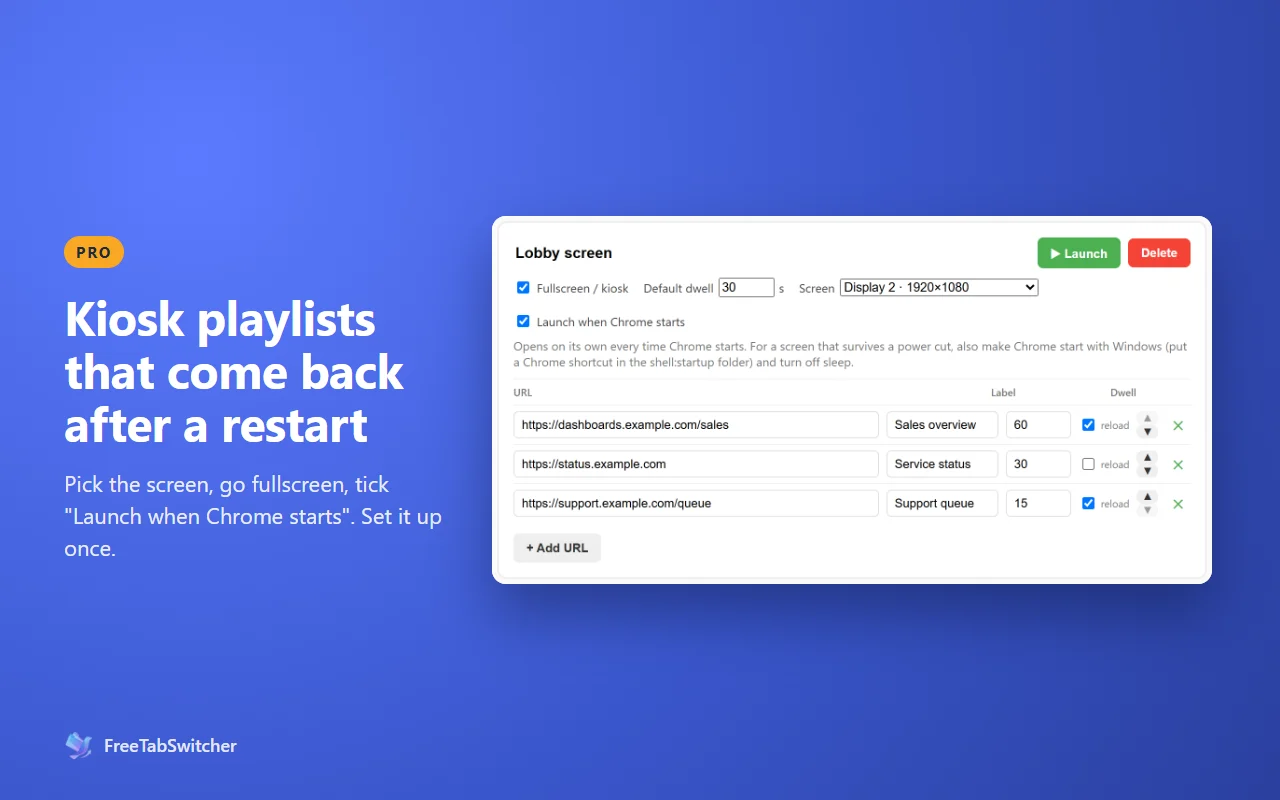
- Open Manage Playlists, create a playlist and add your pages with a display time for each.
- Pick the Screen it should open on and tick Fullscreen and Launch when Chrome starts.
- Make Chrome start with Windows: Win+R,
shell:startup, add a Chrome shortcut. - Turn off sleep, and make sure the PC signs in to Windows by itself after a restart, if your IT policy allows it.
Pro arrives with version 2.1 as a one-time $19.99 upgrade. Everything else on this page is free. See what Pro adds.
Questions
Can people walking past exit fullscreen?
Someone with a keyboard can press F11 or Esc. On a public screen, keep the keyboard and mouse out of reach. For fully locked-down public kiosks, Chrome's managed kiosk options are the stronger choice.
Does it need special Chrome settings?
No. It runs in normal Chrome, so you keep your sign-ins and other extensions.
What if a monitor is unplugged?
At launch, the playlist waits briefly for its monitor, then opens on the main screen instead. The next time it launches with that monitor connected, it opens there again.